

Getting flagged for ip abuse isn’t just about getting an angry email, it can mean lost accounts, blocked traffic, and even full blacklists that break your workflow overnight. The worst part? It’s not always obvious what triggered the abuse warning. Maybe it’s a misconfigured script hammering an API, or a shared IP that just inherited someone else’s bad reputation. Either way, cleaning up after an ip abuse report is slow, and one mistake can get your resources burned faster than you expect.
But treating every case of ip address abuse the same way rarely works. Some teams overreact by cycling through IPs too fast, which can actually increase the risk of being flagged for suspicious patterns. Others stick with one IP too long, thinking stability will help, only to get caught up in automated bans meant for someone else. The real challenge is knowing where your actual risk comes from, and balancing technical needs against the rules of each platform you’re working with.
What matters most isn’t just swapping IPs or hiding behind more layers. It’s about understanding how ip abuse triggers work, how to track usage, and how to react before a minor warning turns into a major shutdown. The right protocols, session controls, and monitoring can reduce how often you run into abuse reports, and make it easier to fix when you do.
Ready to see what actually causes most ip abuse problems and how real operators keep them in check?
What Counts as IP Abuse and Why Does It Matter?
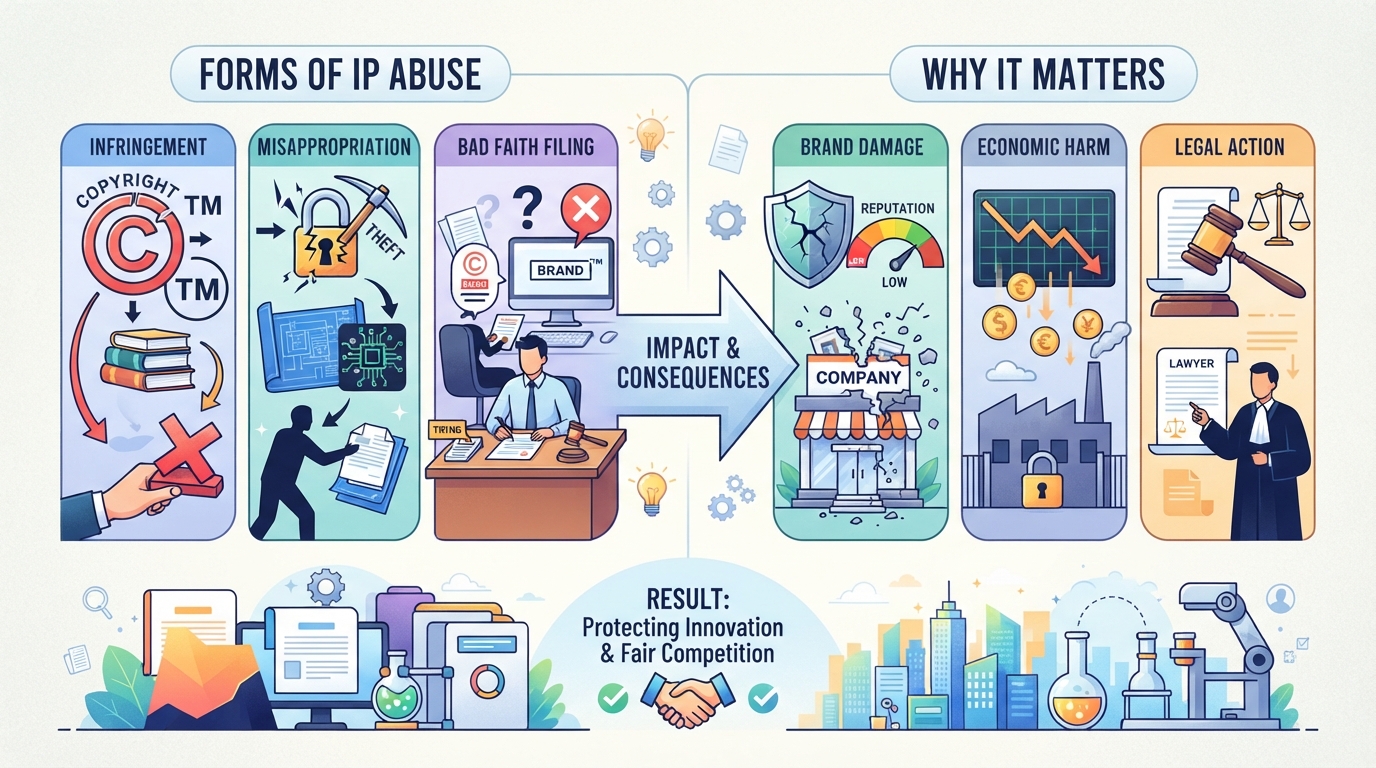
Which Activities Are Considered IP Abuse?
IP abuse covers both intentional and accidental misuse of IP addresses. Common activities include sending spam, running phishing sites, distributing malware, brute force login attempts, denial-of-service attacks, fraudulent scraping, and leaving open relays that let anyone use your IP for bad actions. Even a misconfigured script can trigger an abuse report.
Why Is IP Abuse a Problem for Businesses and Networks?
Every abuse incident risks damaging the reputation tied to an IP address. Blacklisting can shut down email delivery, block access to key platforms, or lock out legitimate users, sometimes for weeks. Service disruptions force support teams to chase false positives and real threats at the same time, draining resources. Legal and compliance headaches follow when customer data is exposed or rules are broken. Shared infrastructure makes this worse: one user’s mistake can get hundreds flagged, leading to unexpected downtime. The distinction between shared and dedicated exits is covered in this residential vs. datacenter proxy comparison. A single abuse report, if ignored, can escalate into a full shutdown or legal action. The biggest operational pain comes when innocent users are caught in the fallout, losing access and trust because someone else abused the network.
How Is Malicious IP Abuse Different from Accidental or Misattributed Abuse?
- Check the intent, deliberate attacks look different from simple errors or faulty scripts.
- Shared IPs muddy the waters; one bad actor can taint everyone using the same address. For background on shared exit addresses, see how proxy servers work.
- Always verify before reacting; a rushed ban or block can punish legitimate users and make recovery harder.
How Can You Detect and Respond to IP Abuse Incidents?
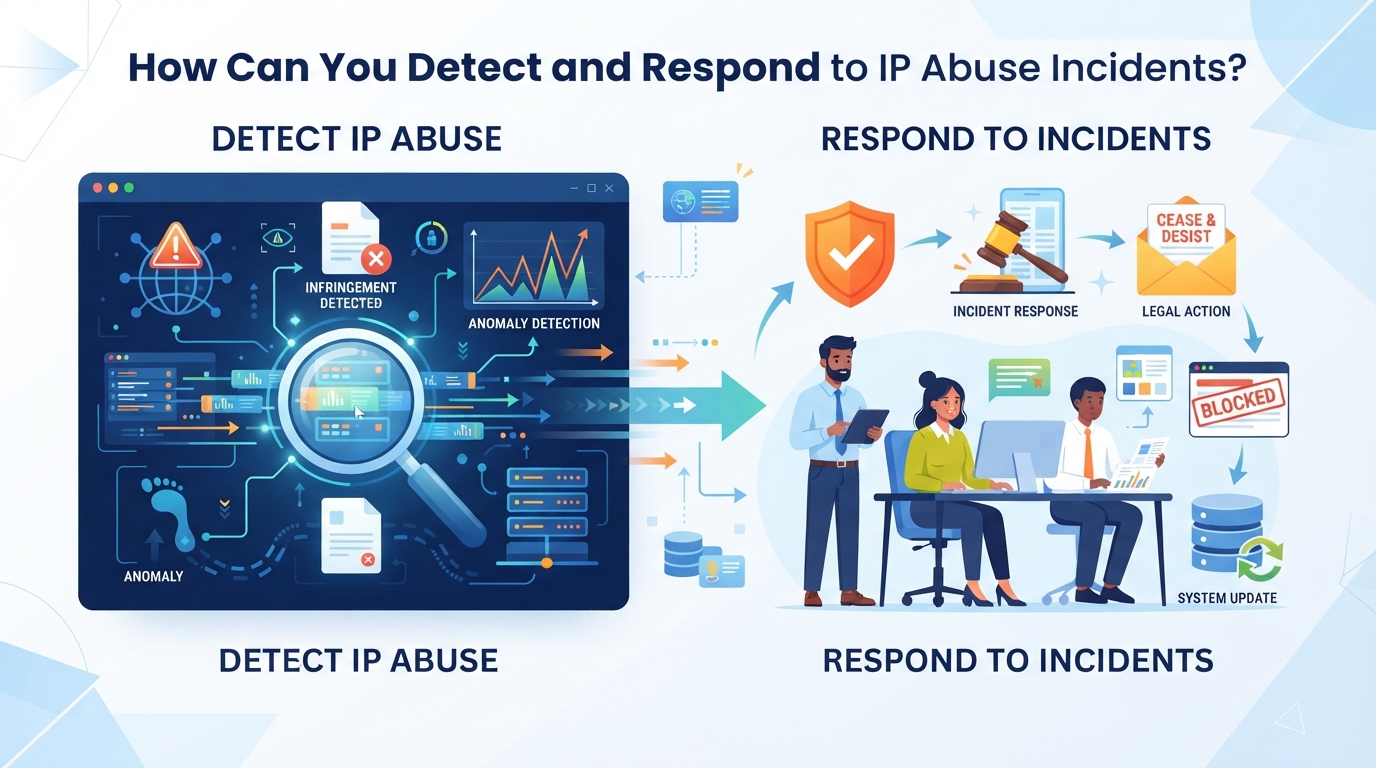
Spotting trouble early is the difference between a minor disruption and a full-blown outage. The fastest way to get ahead of ip abuse is to know what warning signs actually matter, and which ones point to a deeper problem under the surface.
What Are the First Signs of IP Abuse?
You’ll usually see abuse issues show up as sudden traffic spikes, unexpected blacklist entries, or direct complaints from users. Sometimes, legitimate traffic gets caught in the mix, so don’t panic at every alert. The real signal is a pattern that doesn’t fit your normal usage.
How Do You Verify an Abuse Report or Blacklist Entry?
Verifying an abuse report starts with checking your logs, look for requests around the reported time, then narrow down which user or system triggered the alert. The tricky part is distinguishing genuine threats from false positives. For example, if your IP is flagged for sending too many requests, but log entries show normal activity, it’s possible you’re dealing with a misattributed complaint or overlapping network use. The toughest cases are when multiple services share an IP pool, making it hard to tie abuse back to a single actor. When you can’t find matching evidence in your logs, review the report details, sometimes generic complaints get auto-generated from upstream providers, or the abuse reporter uses outdated data. If the timestamps don’t align or the activity is outside your control, document everything before responding.
What Steps Should You Take to Respond to Confirmed IP Abuse?
Once you confirm a real incident, isolate the affected account or system right away. Notify users who might be impacted, fix any configuration errors, and close off the vulnerability. If you’re dealing with a blacklist entry, reply with a clear timeline of your remediation steps, most operators expect a prompt, factual update.
How Can You Prevent Future Incidents?
- Set rate limits and require authentication for risky endpoints
- Keep your software patched and monitor logs regularly
- Train staff and users to spot suspicious activity and report early
The next step is making sure your proxy choices fit your abuse prevention strategy, too much rotation or too little control can actually make things worse.
How Proxy Services Can Support Responsible IP Use and Abuse Prevention
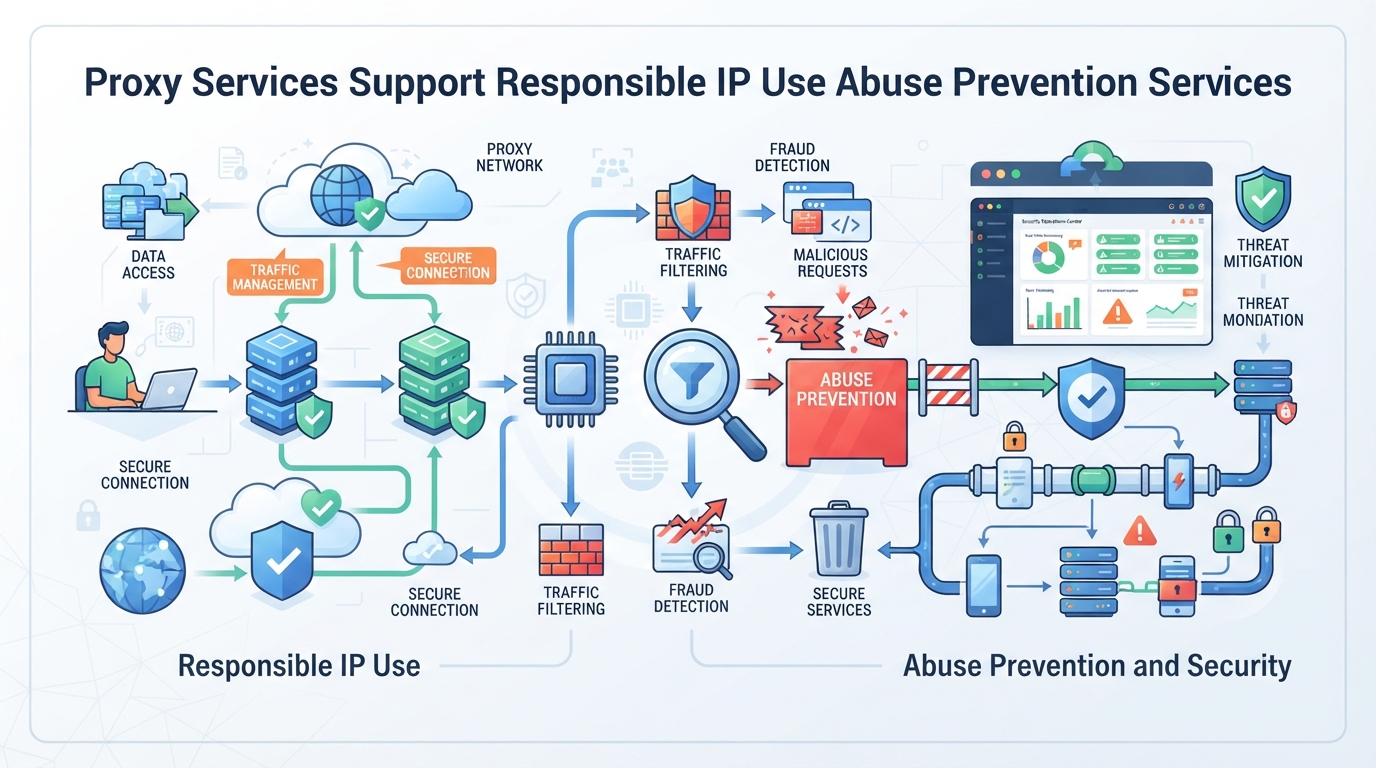
Responsible proxy use starts with knowing your workflow and where accidental abuse slips in. Too many teams overlook the basics, like how IP rotation, session consistency, and location targeting can help avoid common triggers. The real fix isn’t chasing bigger IP pools or more layers; it’s about getting the right controls in place for each task. That’s where platforms like PuraRoute come in, offering operational features that help businesses manage their proxy resources and keep their usage accountable.
How Does PuraRoute Enable Controlled Proxy Access for Businesses?
PuraRoute gives operators the power to pick rotating residential proxies, sticky sessions, or static proxy modes to match different business needs. Rotating IPs are purchased by traffic volume, while static proxies are tied to fixed IPs and plan durations. Each proxy type supports standard HTTP(S) and SOCKS5 protocols, making integration with browsers, scripts, or business tools straightforward. This setup means users can control how their IPs are used and track usage by sub-account, reducing the chance of accidental misuse.
How Can Session and Location Controls Reduce Unintentional Abuse?
Session and location controls are where most operators actually cut down on ip abuse risk. Rotating sessions swap IPs across requests, so no single address gets flagged for excessive activity. Sticky sessions let you keep the same IP for a short window, which is handy for multi-step workflows without exposing that IP for too long. Geographic targeting lets you pick the right country, state, or city, making it easier to meet compliance or avoid location-based bans. But here’s the catch: sticky sessions only keep the IP temporarily, not permanently. Operators who confuse sticky with static risk overusing an IP and getting it flagged. The dynamic versus static residential proxy guide explains the difference in session continuity and resource allocation. The right mix of session and location settings is the practical fix most teams need.
What Management Tools Help Prevent and Respond to Abuse?
PuraRoute’s web console and Open API let users monitor traffic, check static resource status, split usage by sub-account, and set traffic limits. Its proxy connection and management overview outlines how these controls fit into daily operations. If a resource looks suspicious or gets flagged, you can renew, disable, or reconfigure the proxy directly. This level of control makes it easier to spot issues early and respond before a minor pattern turns into an abuse report.
What Are the Limits of Proxy Controls in Preventing Abuse?
No proxy platform, including PuraRoute, can guarantee you’ll avoid every abuse scenario. The tools help, but user oversight and real-time monitoring are what keep things safe. Inventory checks and session controls reduce risk, but they don’t replace due diligence. Always verify actual activity before acting on any abuse report, false positives are common, and the real problem often comes from how the proxy is used.
The next step is knowing how to tell apart malicious, accidental, and misattributed abuse, because the fix depends on the real source, not just the symptom.
What Are the Key Differences Between Malicious, Accidental, and Misattributed IP Abuse?
When you get an abuse report, the most useful move is to figure out whether the behavior was deliberate, an honest mistake, or just wrongly linked to your IP. Mixing up these categories wastes time and can lead to unnecessary blocks or missed threats. Here’s a practical breakdown of how to tell them apart and what to do next.
How Can You Tell If Abuse Was Intentional or Accidental?
The signs are usually in the pattern and tools involved. Malicious activity tends to show up as repeated, automated actions, think brute force logins or mass spam. If malware or exploit tools are found, that’s a clear red flag. Accidental misuse often comes from misconfigured scripts or someone running an open proxy without realizing the risk. Use the table below to spot the differences.
| Type | Typical Signs | Common Causes | Immediate Risk |
|---|---|---|---|
| Malicious | Repeated, automated requests; malware/tools detected | Exploit kits, botnets, credential stuffing | High: Can trigger bans and legal action |
| Accidental | Irregular spikes; unusual traffic; open ports | Misconfigured scripts, unpatched software, open proxies | Moderate: May cause temporary blocks or warnings |
| Misattributed | No matching activity; timing mismatch | Shared IPs, NAT, proxy churn, reporting errors | Low: Can result in false positives or wrongful bans |
The real test is whether you can link the reported behavior to something you actually did. If you can’t, chances are it’s misattributed.
What Causes Misattributed IP Abuse Reports?
Most mix-ups come from shared infrastructure. If you’re behind NAT, a proxy, or a dynamic IP pool, your address can get flagged for someone else’s actions. A static residential proxy provides a dedicated fixed endpoint for workflows that need clearer IP ownership. Sometimes, abuse reports pull from stale logs or correlate data poorly, pinning the blame on the wrong user.
If your activity doesn’t match the report, investigate before responding, false positives are common when using shared or rotating IPs.
How Should Businesses Respond to Each Type?
If you confirm malicious activity, act fast, remediate, block, and check for wider compromise. Accidental misuse calls for fixing the mistake and making sure everyone knows the policy. Misattribution is trickier: document your own activity, communicate with the reporting party, and ask for evidence.
Reacting blindly to every report means risking unnecessary shutdowns or missing real threats. Sorting by cause lets you focus on what matters and keep your network running.
The next step is knowing the consequences of overreacting or underreacting to these reports, and why getting the balance wrong can hurt your business more than the abuse itself.
What Are the Risks of Overreacting or Underreacting to IP Abuse Reports?
What Happens If You Ignore Real IP Abuse?
Letting credible abuse reports slide often means giving attackers or bots more time to operate. This can snowball into downtime, lost customers, or even legal trouble if the incident grows and regulators get involved.
What Are the Risks of Overreacting to False or Misattributed Reports?
Jumping to suspend users or block IPs based on shaky evidence can backfire fast. For example, shutting down a busy client’s access over an unverified complaint can trigger angry calls, lost revenue, and extra support work, only to find out later the IP address was wrongly flagged because of shared infrastructure. Wasting time and goodwill on false alarms damages trust you may not get back.
How Can You Find the Right Balance?
- Have a clear process for checking the facts before acting, don’t block first and ask questions later.
- Keep written records of every ip abuse report, what you found, and why you took action (or didn’t).
- Talk to affected users, upstream providers, or partners before pulling the trigger, especially if business impact is high.
The right balance means treating every report seriously, but not letting panic or indifference run the show. A measured response protects both your systems and your reputation. For most teams, the next step is making sure your prevention policies are just as solid as your response playbook.
How Can You Prevent IP Abuse in Your Organization or Service?
Cutting down on ip abuse means building defense into every layer, technical controls, people, and ongoing monitoring. The biggest gains come from putting checks in place that catch problems before they spiral. Here’s what actually works in practice.
What Technical Controls Reduce IP Abuse Risk?
Locking down the network starts with basics: rate limits keep one user from hammering your endpoints, access controls block known bad actors, and automated systems flag strange patterns fast. Regular scanning finds weak spots before attackers do. Missing any of these steps usually means you’re just waiting for the next incident. The residential proxy setup guide also discusses controlled concurrency, retries, and responsible configuration.
How Can User Education Help?
- Train staff to set up systems securely and spot misconfigurations
- Run short exercises on phishing, social engineering, and common traps
- Hand out clear do/don’t lists for network and service use
What Ongoing Monitoring Is Needed?
Most teams get burned when they stop checking logs or ignore small warnings. Real prevention means reviewing what’s actually happening, not just setting policies and walking away.
- Review logs daily for failed logins, traffic spikes, and unfamiliar IPs
- Check abuse reports and public blacklists weekly for new entries
- Schedule quarterly audits of user permissions and system changes
Stay alert, if you wait for a formal abuse report to act, you’re already behind. Next up: what to do if you’re already facing a blacklist or flagged ip address.
What Should You Do If Your IP Address Is Blacklisted or Flagged for Abuse?
The moment your IP gets flagged or blacklisted, you need to act fast and methodically, waiting or guessing rarely helps. Here’s how to check what’s actually happening, fix your reputation, and keep the same problem from coming back.
How Do You Confirm the Blacklist or Abuse Status?
Start by checking your IP against public blacklist tools like MXToolbox or AbuseIPDB. Review any abuse report or notification for details, look for timestamps, evidence of the offending activity, and which service issued the flag. If you only see vague “abuse” warnings, try contacting the provider for specifics.
What Are the Steps to Remove Your IP from a Blacklist?
Fix the original problem first, whether it’s spam, malware, or a misconfiguration. Then, submit a delisting request to each blacklist, attaching proof that the issue is resolved. Some lists require waiting periods or extra documentation, so keep records handy. After removal, monitor your IP regularly; repeat offenses get you stuck on lists much longer.
How Can You Prevent Future Blacklisting?
- Set up automatic alerts for outbound traffic spikes or unexpected activity.
- Keep incident response steps documented, review them after each event.
- Rotate credentials and check user access often to spot new risks early. For practical connection checks, see the proxy IP address setup and troubleshooting guide.
If you skip root cause analysis and only chase removal requests, your IP is likely to get flagged again, sometimes for the same pattern, sometimes for new ones.
Frequently Asked Questions About ip abuse
Can an IP address be abused without the owner's knowledge?
Yes. An IP address can be abused without you knowing it. This often happens if a device on your network is infected with malware, or if your router or server is misconfigured. Attackers can use your connection to send spam, launch attacks, or run unwanted services, even if you did nothing wrong.
How do shared IP addresses complicate abuse investigations?
Shared IPs, such as those used by NAT, proxies, or proxys, group multiple users behind one public address. When abuse is reported, it’s difficult to tell which device or user was responsible. Investigators need to check detailed logs and timestamps to match activity to a specific user or session.
Are proxy services always responsible for abuse from their IPs?
No. Proxy providers can put rules and controls in place, but they don’t control what users do with their connections. If you misuse a proxy IP, you are responsible for that behavior. Providers may block or warn users if abuse is detected, but the real responsibility is on whoever uses the service.
What should I do if I receive an abuse complaint about my IP?
Start by reading the complaint and checking your system logs for suspicious activity at the reported time. Look for malware, open ports, or strange traffic. Fix any issues you find. Once you know the cause, reply to the complainant with your findings and actions taken.
How can I check if my IP address is on a blacklist?
You can use public blacklist lookup tools online. Just enter your IP address to see if it’s listed. Major blacklist operators, like Spamhaus or SORBS, let you check for free. If your IP appears on a list, they usually provide a reason and steps you can follow to get delisted.
The real challenge is deciding how to monitor and manage suspicious IP behavior before it affects your workflow. Once you know what triggers unwanted activity, you can choose tools or network controls that match your risk level and operational needs. If you need flexible proxy access for regional testing or temporary IP sessions, you can review available proxy options and session settings.
